
Fullscreen overlay
A full-screen reminder appears right before each meeting — countdown, title, and a single Join button.
Final Call lives in your menu bar and steps in at exactly the right moment: just before each meeting, a full-screen overlay appears with a countdown, the meeting title, and a Join button.
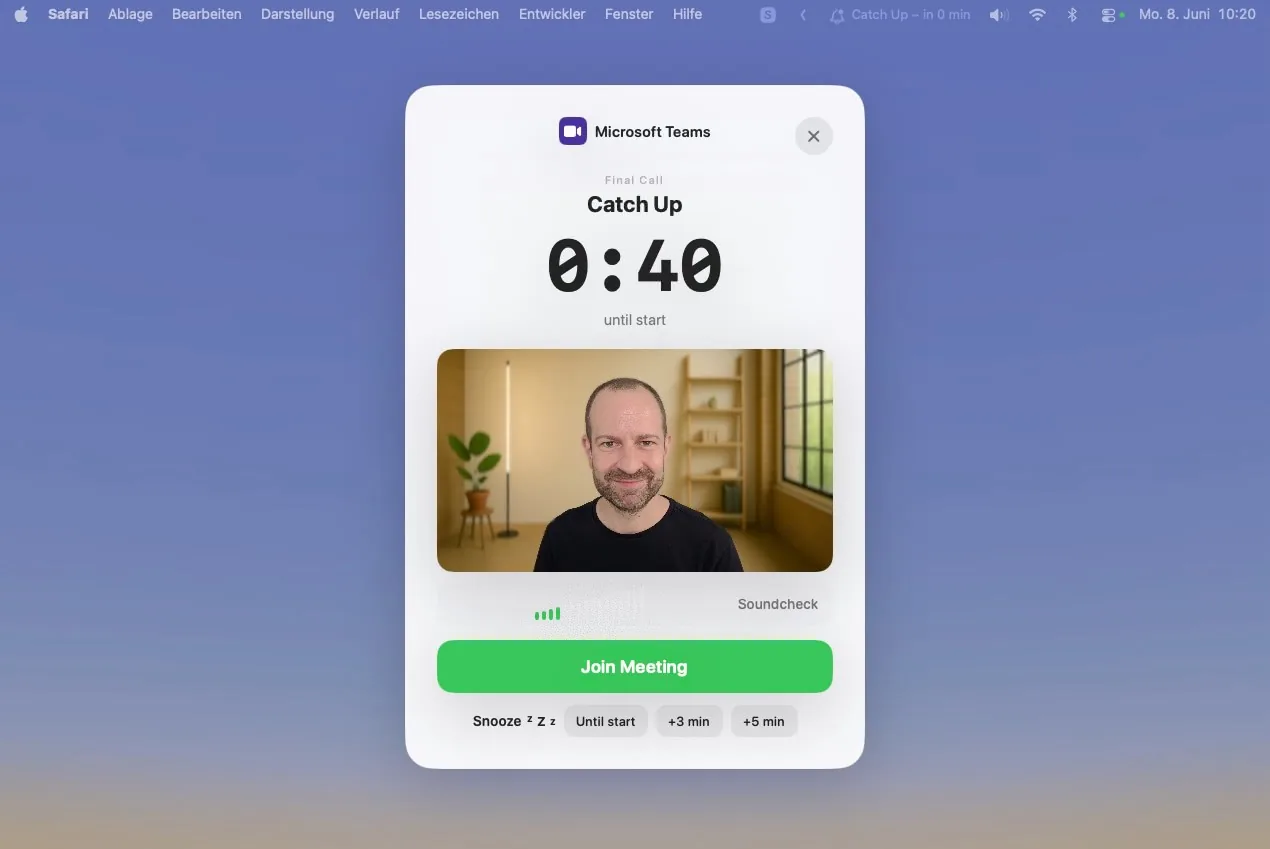
A full-screen reminder appears right before each meeting — countdown, title, and a single Join button.
The icon always shows the time until your next meeting. One click opens your full day's agenda.
Meeting links are pulled straight from your calendar entries. No copying, no searching.
Calendar data stays on your device. Camera and mic are used only for the live preview.
Just before each meeting, a full-screen overlay takes over your screen — countdown, meeting title, time, and a single Join button. Not ready yet? Snooze for +3 min, +5 min, or until it starts.

The app icon always shows the countdown to your next meeting. Click it for a full agenda — ongoing meetings on top, upcoming ones below. You can even show the meeting name right in the menu bar.

A live bar shows how much time is left while the meeting runs, so you always wrap up on time.
Apple Music and Spotify pause automatically the moment you join a meeting.
Join, Snooze, and Dismiss — all fully customizable and controllable from the keyboard.
See yourself in the overlay before you join — a quick check that you're camera-ready.
A microphone level meter gives you a fast soundcheck before the meeting starts.
A red indicator appears the moment a meeting is already running, so you're never late to notice.
Final Call automatically detects meeting links from your calendar and opens them in the right app — across many platforms: Microsoft Teams, Zoom, Google Meet, Webex, Slack, FaceTime, GoTo Meeting, Whereby, Discord, BlueJeans, Wire, Jitsi, Nextcloud Talk, Amazon Chime, RingCentral, 8x8 Meet, and Zoho Meeting.







Get started in three easy steps today.
Get it from the Mac App Store. macOS only — no extra account to set up.
Final Call reads your Apple Calendar and detects meeting links automatically.
A full-screen reminder and one-click Join appear right before every meeting.
You're only a few clicks away from never missing another meeting.
Still have questions? Reach out to us at mail@vantica.de
Yes — 14 days with full features and no credit card required. After the trial you can keep Final Call with a one-time purchase, or choose a monthly subscription. Nothing is charged unless you decide to buy.
Absolutely not. All calendar data is read and stored locally on your Mac. It is never transmitted to external servers or third parties.
Final Call reads Apple Calendar, and detects links for 18 platforms including Zoom, Google Meet, Microsoft Teams, Webex, Slack, and FaceTime.
Only for the optional live preview in the overlay — a webcam check and a mic level meter before you join. Nothing is ever recorded or transmitted, and you can disable both in settings.
Final Call automatically reads links from the notes and location fields of your calendar entries. No manual input — when it is time, just press Join.
Final Call is a macOS app, available on the Mac App Store. It lives in your menu bar and works across all your meeting tools.
