Never miss a meeting again.
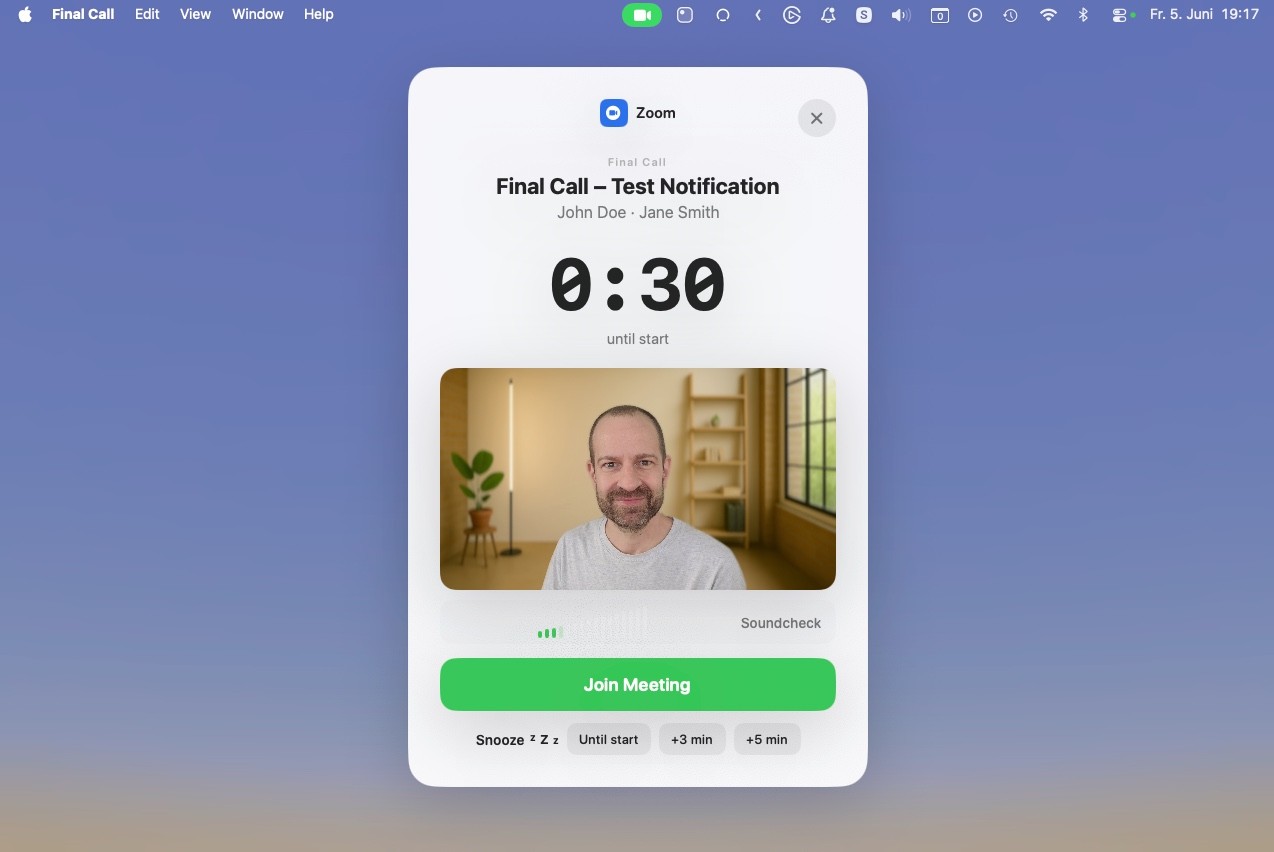
Final Call lives in your menu bar and steps in at exactly the right moment: just before each meeting, a full-screen overlay appears with a countdown, the meeting title, and a Join button.
Final Call makes sure you're always on time.
Fullscreen overlay
The reminder you can't miss, right when it matters.
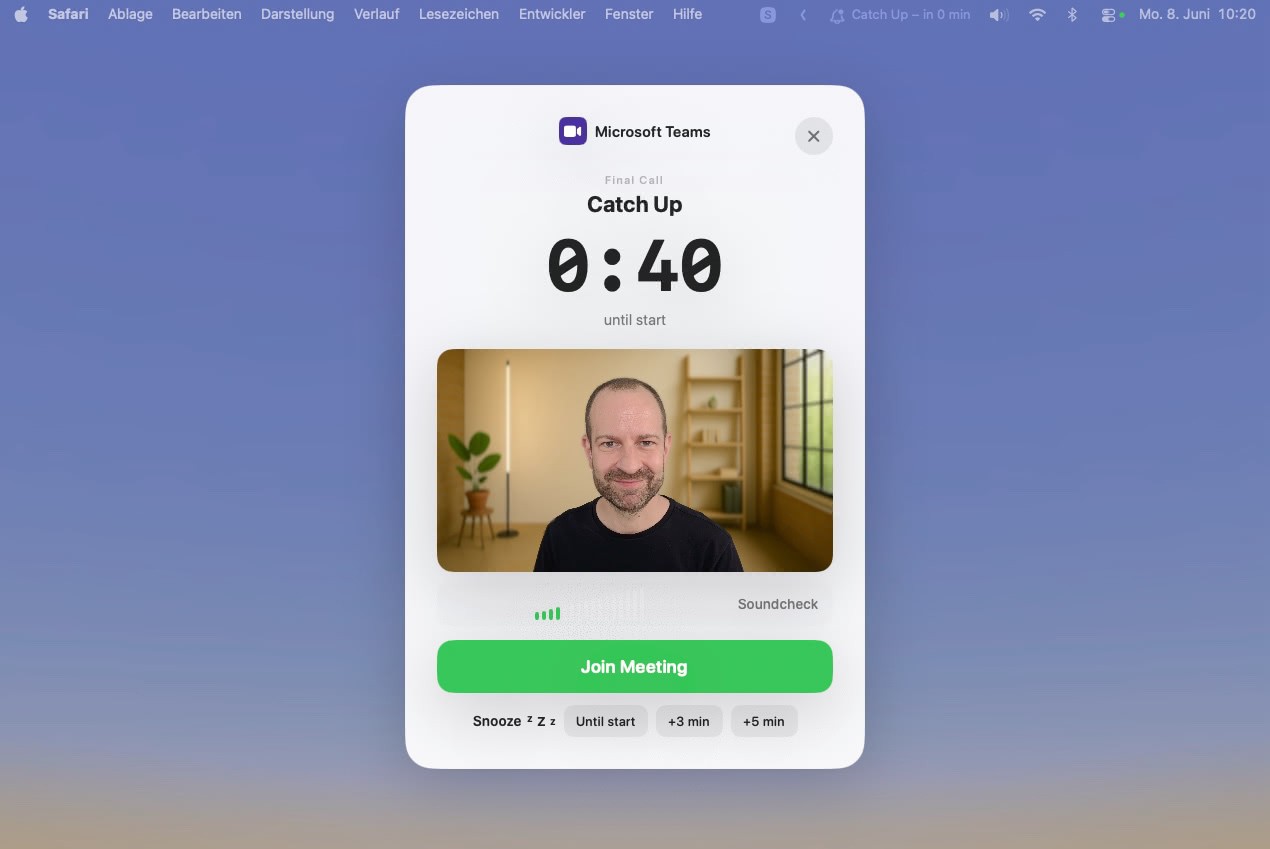
Just before each meeting, a full-screen overlay takes over your screen — countdown, meeting title, time, and a single Join button. Not ready yet? Snooze for +3 min, +5 min, or until it starts.
Menu bar agenda
Your whole day, one click away in the menu bar.
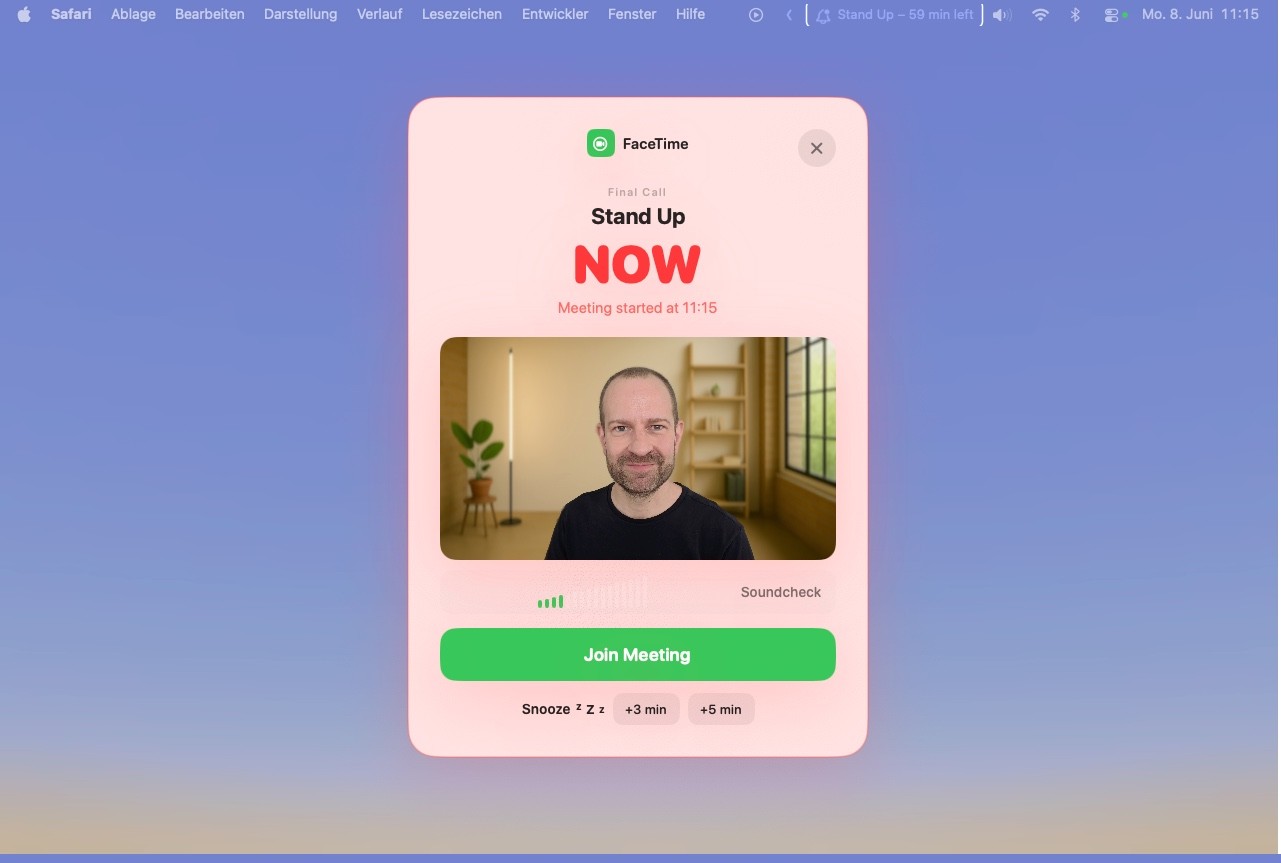
The app icon always shows the countdown to your next meeting. Click it for a full agenda — ongoing meetings on top, upcoming ones below. You can even show the meeting name right in the menu bar.
The details that make daily use feel right.
Meeting progress bar
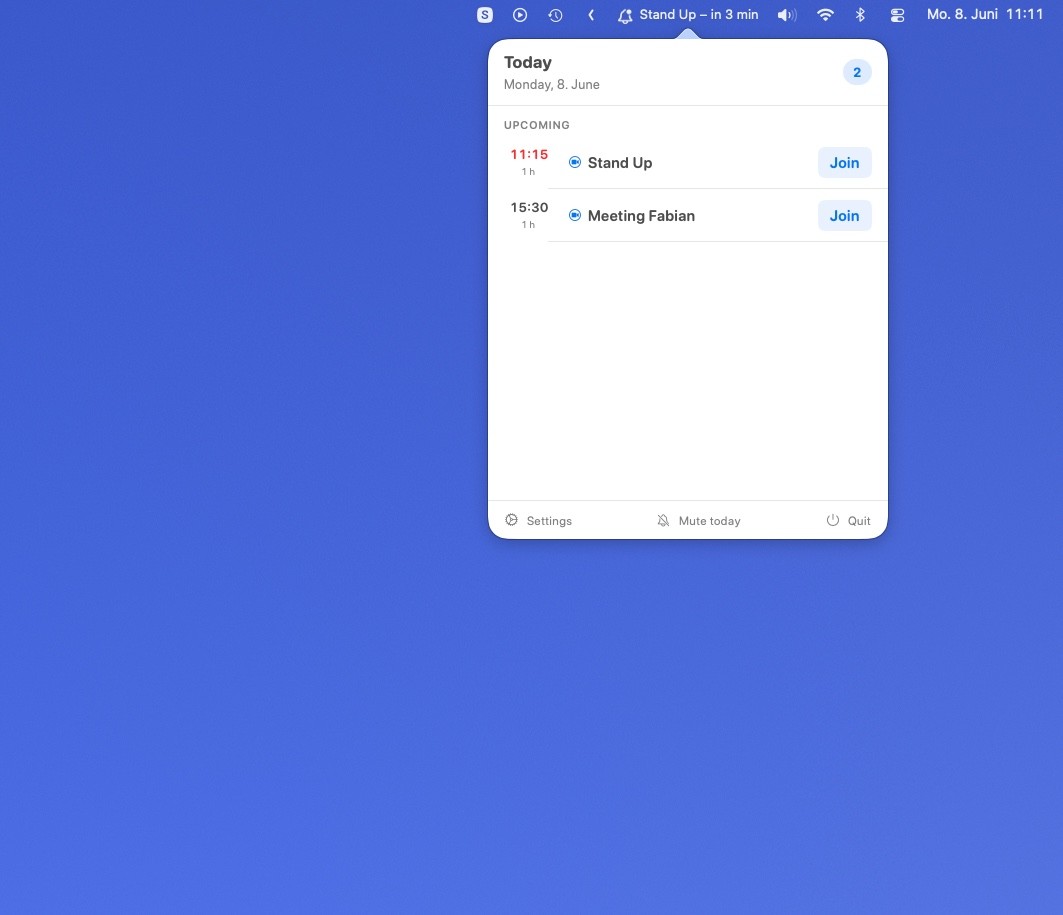
A live bar shows how much time is left while the meeting runs, so you always wrap up on time.
Other apps
Generic calendar alerts
A small notification you dismiss without thinking, then forget.
Hunt for the link
Dig through the invite to find the right meeting link, every time.
No countdown in sight
Without a visible timer, meetings keep sneaking up on you.
One reminder, then silence
Miss the single alert and nothing brings you back.
Cloud-dependent
Your calendar synced off to yet another third-party server.
Final Call
Full-screen final call
A reminder that takes over the screen right before you're due.
One-click Join
The meeting link is detected for you — just press Join.
Always-on countdown
The menu bar shows exactly how long until your next meeting.
Snooze, don't miss
Not ready? Snooze +3 min, +5 min, or until start — it comes back.
Stays on your device
Calendar data is read locally and never leaves your Mac.







Try free for 14 days
Displayed prices are in USD and reflect U.S. pricing. The final amount charged may differ based on your region, local currency, and applicable taxes.
Good questions.
Still have questions? Reach out to us at mail@vantica.de
Is the free trial actually free?
Yes — 14 days with full features and no credit card required. After the trial you can keep Final Call with a one-time purchase, or choose a monthly subscription. Nothing is charged unless you decide to buy.
Does Final Call send my calendar anywhere?
Absolutely not. All calendar data is read and stored locally on your Mac. It is never transmitted to external servers or third parties.
Which calendars and meeting apps are supported?
Final Call reads Apple Calendar, and detects links for 18 platforms including Zoom, Google Meet, Microsoft Teams, Webex, Slack, and FaceTime.
Why does it ask for camera and microphone access?
Only for the optional live preview in the overlay — a webcam check and a mic level meter before you join. Nothing is ever recorded or transmitted, and you can disable both in settings.
How are meeting links detected?
Final Call automatically reads links from the notes and location fields of your calendar entries. No manual input — when it is time, just press Join.
What platforms is Final Call available on?
Final Call is a macOS app, available on the Mac App Store. It lives in your menu bar and works across all your meeting tools.